Deleting an Admin
To delete an admin:
Procedure
Step 1 | Go to the Admin Management tab. |
Step 2 | Navigate to the row with the needed admin and in the Actions column, select … (ellipsis). |
Step 3 | In the dialog, select the checkboxes from which you want to remove the admin's access. |
Step 4 | Select Delete and confirm the operation in the pop-up window. 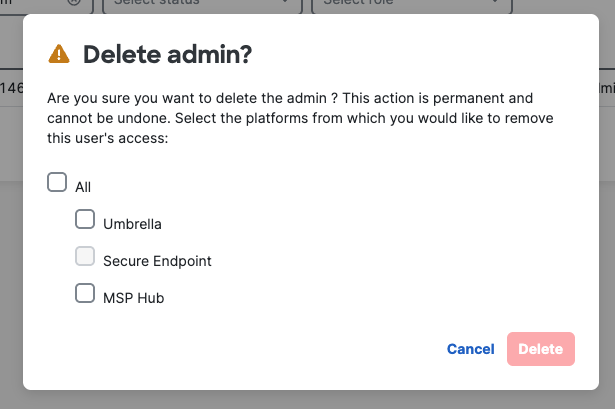 |